QR Code Menus ThatJust Work
No more reprinting menus. Update prices, add specials, or 86 items instantly. Your customers scan, your menu loads beautifully.
Try our accessible demo—built for screen readers, large text (200%), and high contrast. No app download.
See How It Works
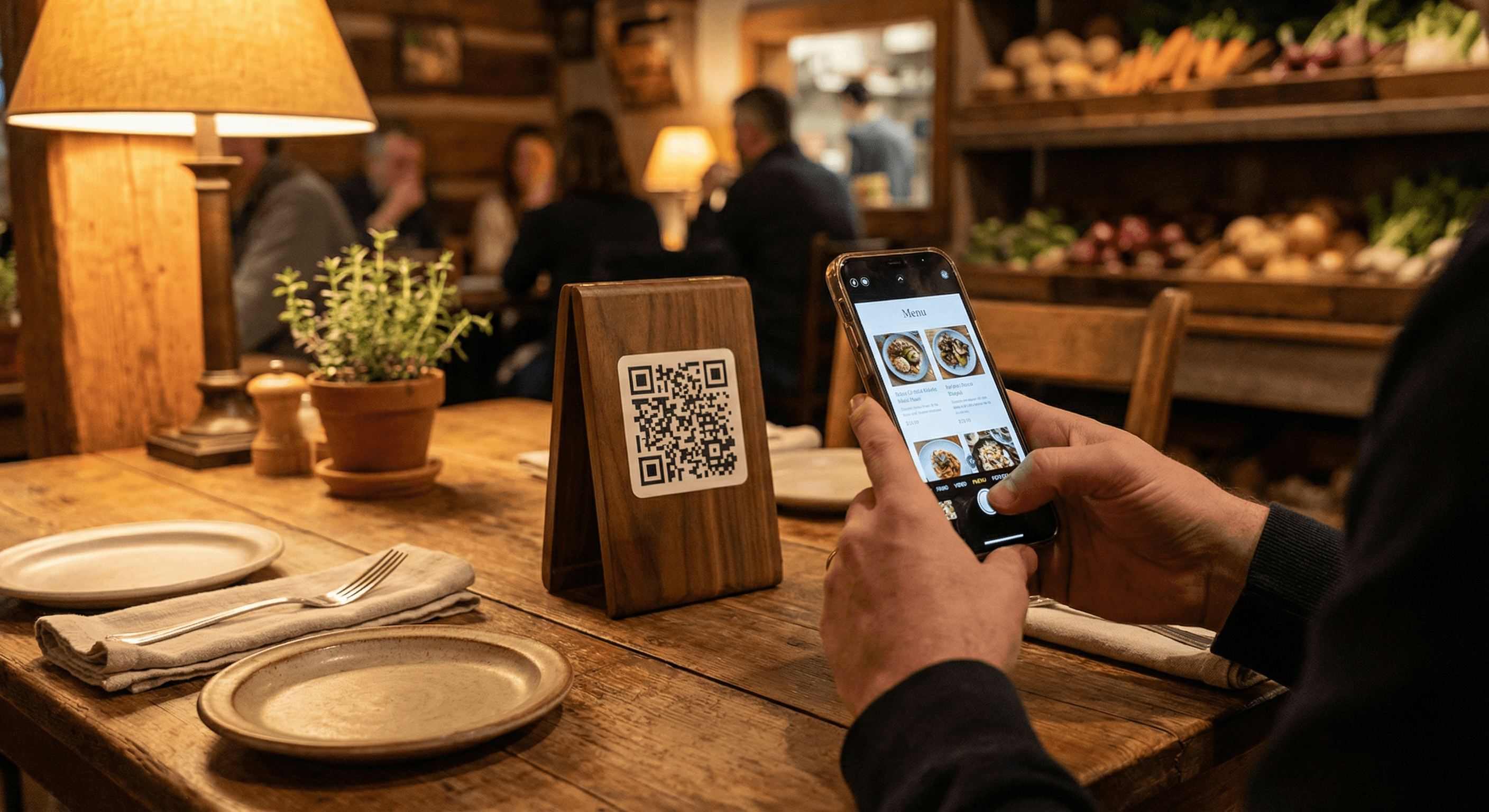
Your customers are already familiar with scanning QR codes. We make the experience seamless with beautiful, fast-loading menus that work on any smartphone.
1. Customer Scans
Place QR codes on tables, at the counter, or in your window. Customers scan with their phone camera.
2. Menu Loads Instantly
Your menu opens in the browser as a PWA—app-like, offline-capable, no download. Works on any smartphone.
3. They Browse & Order
Guests explore your full menu with photos, descriptions, and prices. Easy to navigate categories.
See it in action
Try our interactive demo menu — exactly what your customers will see.
Why Restaurant Owners Love QR Menus
Save money, save time, and give your customers a modern experience.
Update Anytime
Change prices, add specials, or 86 items instantly. No reprinting costs ever.
Increase Check Size
Restaurants often see $2–4 higher checks—industry studies report 6–12% lift when customers order from digital menus.
Save Staff Time
Guests browse while waiting. Staff report higher tips ($1.50/hr more) with QR systems.
Zero Print Costs
Never pay for menu reprints again. Update seasonally, weekly, or daily at no extra charge.
Contactless & Hygienic
20% of diners prefer contactless menus. Reduce touchpoints and keep guests comfortable.
Lightning Fast
Menus load in under 2 seconds. PWA tech means cached, offline-ready—no app, no waiting.
We Hear the Objections—We Built the Answers
Diners had legitimate concerns about early QR menus. In 2026, we've solved them.
Poor connectivity?
Menu caches locally—works offline once loaded. No dead zones.
Small screens, glare?
Mobile-optimized design, no PDF zooming. NFC tap backup for dim lighting.
Kills the vibe?
Browser-based, no app drain. Staff focus on hospitality—tech handles utility.
Privacy worries?
Branded URLs, no tracking. Transparent. Secure.
QR Placement Best Practices
Where and how you put your QR codes affects scan rates. We include print-ready table tents and help you get it right.
Size & surface
2–3 inch QR codes for tables. Use matte (not glossy) to cut glare. We provide print-ready files at the right size.
Placement
Table tents at a slight angle (45°), host stand, bar, or window. Peak scans happen Fri–Sun evenings when codes are easy to spot.
Clear value prop
Short line under the code—e.g. "Scan for menu & specials" or "Order & pay at your table." Tell guests what they get.
of restaurants now use QR menus
of customers are comfortable scanning
typical check-size lift (industry studies)
menu load time on any device
Everything Your Menu Needs
Our QR menus aren't PDFs on a phone. They're 2026-ready: mobile-optimized, offline-capable, and built to overcome the objections diners had with early digital menus.
Included Free with Your Website
Every TableSide website comes with QR code menus at no extra cost. We'll design your menu, generate the QR codes, and even help you figure out where to place them. Hybrid-friendly: we recommend keeping 10% physical menus for guests who prefer paper.
See what's includedWe Handle Everything
You run your restaurant. We'll handle the tech.
Send Us Your Menu
Email, text, or even snap a photo of your current menu. We'll take it from there.
We Design It
Our team creates a beautiful, mobile-friendly menu that matches your restaurant's brand.
Start Using It
We send you print-ready QR codes. Place them on tables, at the counter, wherever works best.
Ready to Ditch Paper Menus?
Join hundreds of restaurants saving time and money with digital QR menus. Book a quick demo and we'll show you exactly how it works.